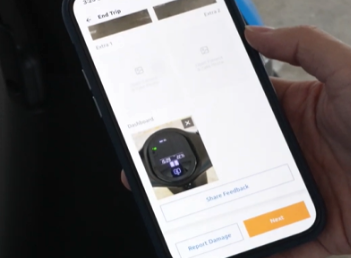
1. Activating Gogoro Motorcycle.
Hold the green button for 5 seconds.
Look for the indicator light flashes below the front seat area to confirm activation.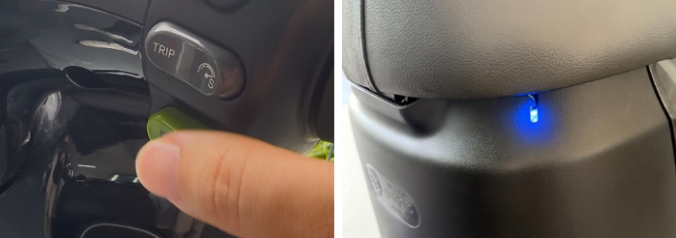
2. Tap “Next” to Unlock the Seat.
Tap “Next” in the Tribecar App to unlock the seat.
The seat will auto-pop up once unlocked.

3. Retrieve the Gogoro Card Key
- Open the seat compartment.
- Take the Gogoro Card Key (this is required to start the bike).
- Close the seat (Note: Make sure the seat is closed properly.)
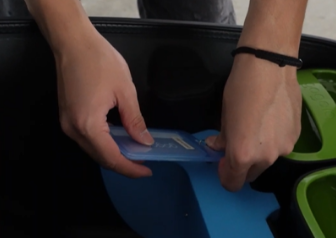
4. Pull up the Gogoro Motorcycle Stand
- Make sure the side stand and the main stand are up.
- Lift the stand fully before riding.
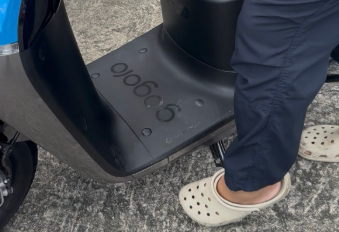
5. Start the Gogoro Motorcycle
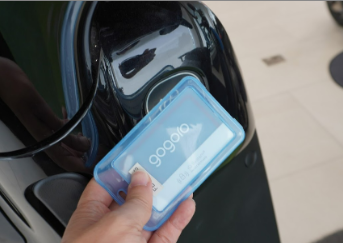
Step A — Tap the Start Card
- Tap the card on the sensor area (near the handlebar).
- Dashboard lights up.
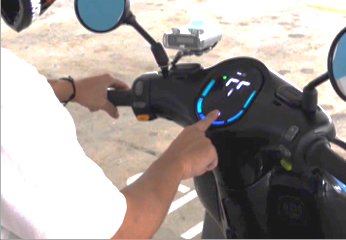
Step B — Hold the left brake handle + press Start
- Look for the GO indicator on the screen.
- Gogoro is silent — this is normal.
6. Riding
- Twist the throttle gently.
- Electric response is instant.
- Obey traffic rules.

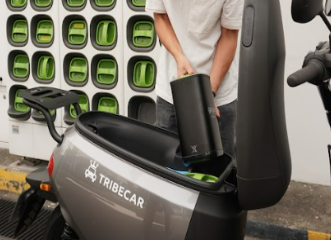
7. Battery Swap
- Go to a Gogoro Battery Swap Station (Refer to https://bit.ly/4oT8AA1).
- Replace both batteries and wait for “click”.
- Close the seat properly.
Before ending trip:
- Park at Tribecar Motorcycle home lot (refer to Tribecar app).
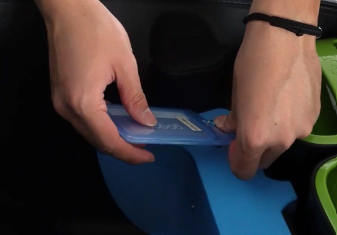
- Return the Gogoro Card Key to the seat compartment.
- Insert the key dongle to register the return of the Gogoro Card Key
Then:
- Close the seat.
- Open the Tribecar app and tap End Trip.
- Ensure the seat compartment is locked + upload end-trip photos.